As I said in my boo above, Audioboo is a free tool that allows users to create podcasts or audio files up to 3 minutes in length using the website directly or the mobile app. There are a lot of features that make me choose this tool to use with my students:

Saturday, August 31, 2013

Tuesday, August 27, 2013
Cool FREE Site 4 Creating Cool Logos

I'm working on a new blog for my students. I'd prefer to build it from scratch. That's why I search for some tools and codes to add more features and touches. I always choose free and simple tools, so students can use them easily without any problems. Cool Text is one of these tools that helped me create a simple, but an impressive logo. It is a FREE graphics generator for web pages and anywhere else you need a logo without a lot of design work.
Please follow these simple steps below to create your first logo:
2nd Round of DLT MOOC-Ed 4 Educators
Audience:
Digital Learning Transition in K-12 Schools massive online open course for educators (DLT MOOC-Ed) is designed for school and district leaders, such as superintendents, principals, curriculum directors, technology directors, financial officers, instructional coaches, library media specialists, and lead teachers, as well as university faculty, consultants, parents and any others involved in planning and implementing K-12 digital learning initiatives.
Monday, August 26, 2013
Have you found your blog work COPIED somewhere?

Thanks to Hafeez Khan, I managed to disable RIGHT CLICK feature to protect my blog content today. I'm so sorry to use this trick. But, you know it is so annoying to find your work copied somewhere without your permission or referring to your name. If you want to prevent others from copying and pasting your work, please follow the steps below:
Friday, August 23, 2013
Moodle MOOC 4 Teachers: Basics

Course launch: September 1, 2013, 15:00 UTC
Teaching with Moodle: An introduction course is designed for anybody who wants to use the Moodle learning platform for teaching, whether it be in a school, a university, a company or just personal interest. The four-week course is also a great opportunity to connect with the vibrant Moodle community dedicated to sharing resources, ideas and anything that could help inspire better teaching practices everywhere.
Course Details:
- Starts: Sunday, September 1, 2013; 15:00 UTC
- Duration: 4 weeks; expect to spend 2 to 3 hours a week
- Facilitators: Mary Cooch and Helen Foster
- Fees: None - Thanks to the support of certified Moodle Partners
Monday, August 19, 2013
5 Great Canvas MOOCs for Teachers
Canvas Network is an open online platform which provides lifelong learners with many chances and learning experiences. As a teacher, I always search for such opportunities to update my knowledge and find new people to follow and interact with. Here are some of the courses that can help teachers to develop their teaching skills and refresh their classroom practices.
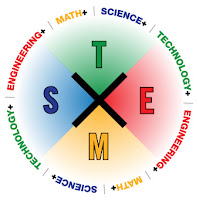
Global 2013 STEMx Education Conference
 |
| Retrieved Aug. 19, 2013 |
Global 2013 STEMx Education Conference is the world’s first massively open online conference for educators focusing on Science, Technology, Engineering, Math, and more. The conference will be held over the course of three days, September 19-21, 2013, and will be free to attend. STEMxCon will be a highly inclusive event that will engage students and educators around the globe and will encourage primary, secondary, and tertiary (K-16) educators around the world to share and learn about innovative approaches to STEMx learning and teaching.
Tuesday, August 13, 2013
Prezi Webinars for FREE
Prezi is a virtual whiteboard that transforms presentations from monologues into conversations enabling people to see, understand, and remember ideas. To understand complexity, one must zoom out to see the big picture and in to see the details. Prezi’s 3-dimensional canvas is a virtual space where users can delve deeper and pan wider to broaden the conversation. To know more about this tool potential, please visit this link. Prezi team members always do their best to share their idea among a large audience of users. In this month, they will offer some live online training designed to help users gain a better understanding of getting started with Prezi. Register now and learn the basics on how to create beautiful Prezis from old PowerPoint presentations.
Friday, August 9, 2013
Glogster Summit August 28, 2013
 |
| Retrieved Aug. 9, 2013 |
Glogster EDU is a social network
that allows users to create free interactive posters, or Glogs. A
"Glog", short for "graphics blog", is an interactive multimedia image.
It looks like a poster, but readers can interact with the content.
Glogster EDU provides an online environment to design interactive
posters. The user inserts text, images, photos, audio files, videos,
special effects and other elements into their glogs to generate a
multimedia online creation. Posters can be shared with other users on the site, embedded
in external wikis or blogs, and shared via many social networks such as
Facebook and Twitter. Glogs can also be exported and saved to
computer-compatible formats (see more here). To hear more stories about how to use this tool effectively in your classrooms, please register for Glogster Educational Technology Summit: Tech, Tools, and Teaching. This summit will focus on the fully functional Mobile glog editor. VIP support program, Glog assessment, PD Trainings and many more things.
Find out the American English Treasures
 |
| Retrieved Aug. 9, 2013 |
American English is a resource center for teaching and learning about American English language and culture. This website provides a variety of engaging materials and resources for teachers' professional development and for students in the classrooms. Both teachers and students will find new ways to practice English. They can find classroom activities, audiobooks, MP3s, videos and pedagogical materials to assist in learning and teaching English as a second/foreign language. One can create his/her resource list to add favorite links and email or share it with others. Users can also add their suggestions and stay up-to-date by following the website calendar.
Here are some sections you can find in American English website:
Wednesday, August 7, 2013
Join EdmodoCon 2013 to Hear Stories of Edmodo
 |
| Retrieved Aug. 7, 2013 from here |
Tuesday, July 23, 2013
Make Your Collages Interactive by ThingLink
 |
| Retrieved July 23, 2013 from here |
is a free and user-friendly digital tool that provides users with the ability to turn any image into an interactive graphic. It enables you to create multiple “hot spots” on specific parts of an image and turn that image into a multimedia launcher. You can include video, record audio or provide a link to any website with the click of a button. You can easily embed an interactive ThingLink graphic into any blog or website. ThingLink is a truly amazing tool that allows users to pack a lot of content into a normal space (Susan Oxnevad, 2012). To create your own interactive images, here is a great tutorial shared by our instructors in the GE4L Micro-MOOC:
Tuesday, July 2, 2013
GE4L Store of Tools and Resources

In this post, I will collect all the resources and tools being mentioned during the 4-week GE4L MOOC either suggested by the instructors or my colleagues:
Game Elements for Learning
 |
| Retrieved July 2, 2013 from here |
Saturday, June 22, 2013
My e-dventures of Writing
 |
| Retrieved June 20, 2013 from here |
Crafting an Effective Writer: Tools of the Trade is another amazing adventure that I have just completed on Coursera. It was offered by Mt. San Jacinto College, and instructed byThe course was broken into five weekly units with each unit spanning one week. Each weekly unit had the following items: video lectures, in-video quizzes, readings, journal writings, discussion forums, peer reviewed writing assignment, and weekly quiz. platform of
Subscribe to:
Posts (Atom)